
Blog Core
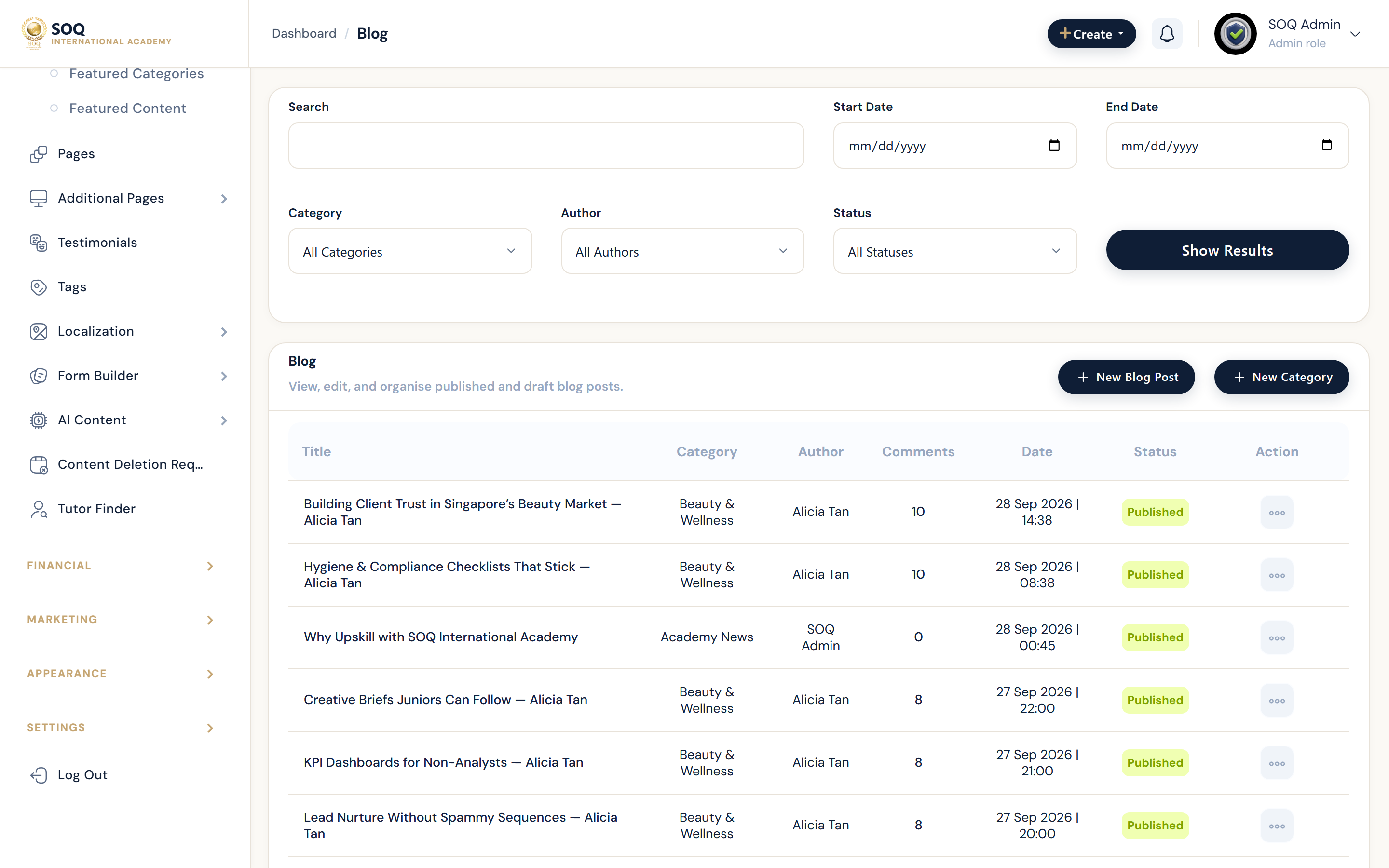
Illustrative screenshot “ Admin -> Content -> Blog ” annotated walkthrough. Screenshot controls in this image are not clickable and may not match the current live UI.
Blog
What this screen is
Publish academy articles and manage blog categories for SEO and marketing content.
What you see
Posts list, editor, categories, and publish controls.
Screenshot annotations
- 1New post: See marker 1 on the screenshot.
- 2Search: See marker 2 on the screenshot.
- 3Category filter: See marker 3 on the screenshot.
- 4Posts list: See marker 4 on the screenshot.
- 5Publish state: See marker 5 on the screenshot.
- 6Edit: See marker 6 on the screenshot.
Field / control guide
- Post: Title, body, hero image, SEO.
- Category: Blog taxonomy.
- Publish: Draft vs live.
- Slug: Public URL.
How to complete the task
- Step 1: Create/edit a post.
- Step 2: Assign category and SEO fields.
- Step 3: Publish and verify the public URL.
Notes / pitfalls: Use SEO settings for meta titles on marketing-critical posts.