
Settings Hub
Administrators open the Settings index at the configured Admin URL to reach General, Financial, Personalization, Notifications, SEO, Mobile app, and Update cards. Each card is permission-gated.
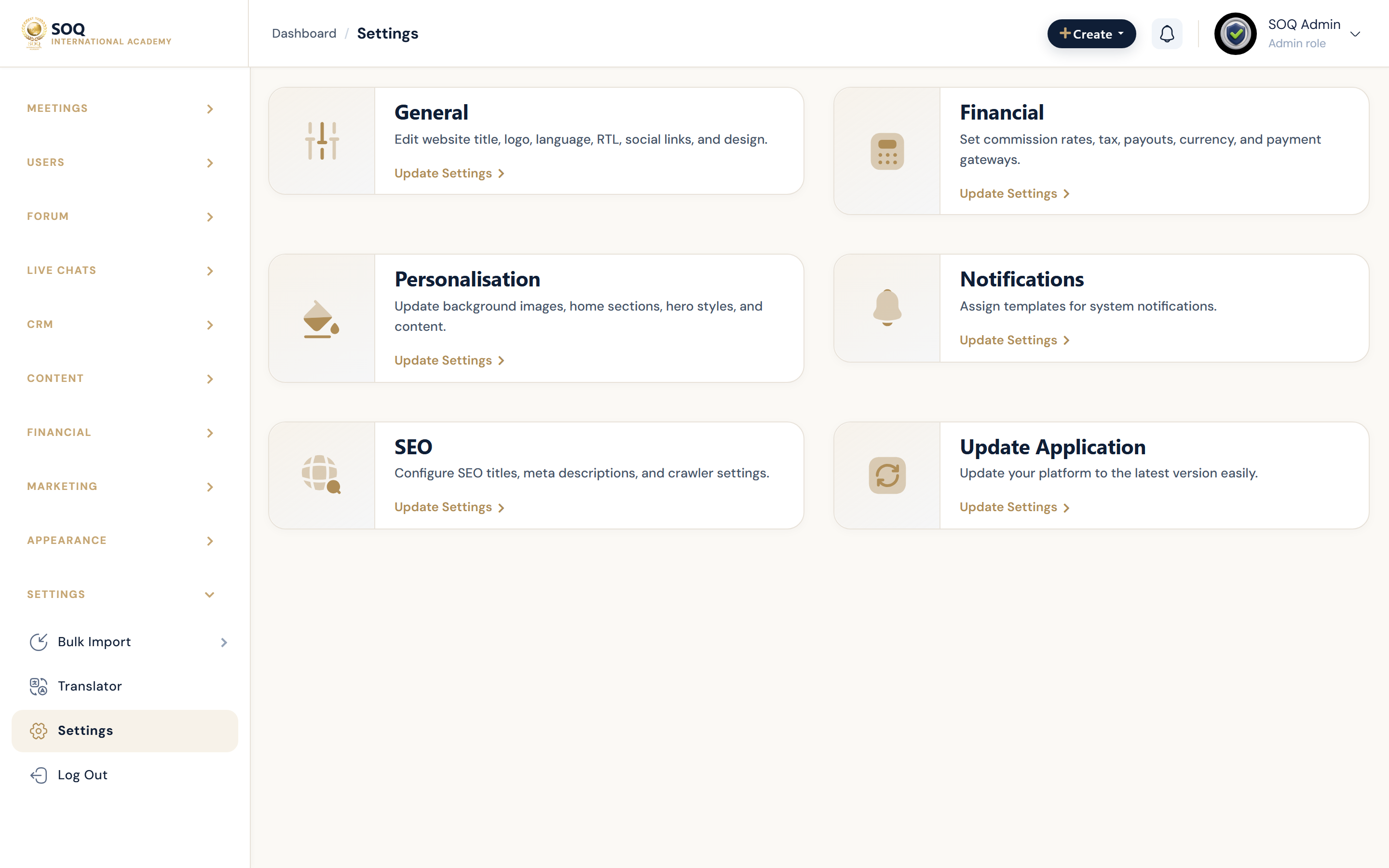
Live screenshot from the SOQ beauty demo (aiacademy.aiee.dev). Controls in the image are not clickable.
Surfaces, roles and current terminology
| Surface | Current navigation terminology | Status |
|---|---|---|
| Settings index | Sidebar ? Settings ? Settings hub | Core |
| General | settings/general | Core; @can admin_settings_general |
| Financial | settings/financial | Core; @can admin_settings_financial |
| Personalization | settings/personalization/panel_sidebar | Core; @can admin_settings_personalization |
| Notifications / SEO | settings/notifications and settings/seo | Core; permission-gated |
| Mobile app / Update | Settings hub cards when permitted | Core cards; mobile may need activation elsewhere |
Permissions, settings and activation
- Staff see only cards allowed by their role permissions.
- Activations is a sibling Settings sidebar item, not one of the hub cards.
- Translator and bulk tools are separate sidebar entries under Settings.
Core workflows
Navigate to a settings area
- Sign in at the configured Admin URL.
- Open Settings to load the hub cards.
- Choose General, Financial, Personalization, Notifications, SEO, Mobile app, or Update.
- Complete the tab-specific form and return to the hub if switching domains of configuration.
Onboard a restricted settings operator
- Grant only the settings permissions required (general, financial, SEO, etc.).
- Have the operator open the hub and confirm hidden cards stay hidden.
- Document which owner handles Activations versus day-to-day settings.
Post-update settings sweep
- After applying an Update package, open the hub and spot-check General, Financial, and Security.
- Reconfirm payment channels and mail delivery.
- Clear caches if cards or tabs look stale.
Result states
- Success: The operator reaches permitted settings pages and saves succeed.
- Pending: Role assigned but session still using old permissions until re-login.
- Denied: Card hidden or route forbidden because the role lacks that settings permission.
- Error: Hub loads but a child settings save fails validation; fix fields without changing unrelated tabs.