
Financial Settings
Administrators configure tax, minimum payout, price display, offline banks, payment channels, referral, currency, user banks, and commissions under Settings ? Financial.
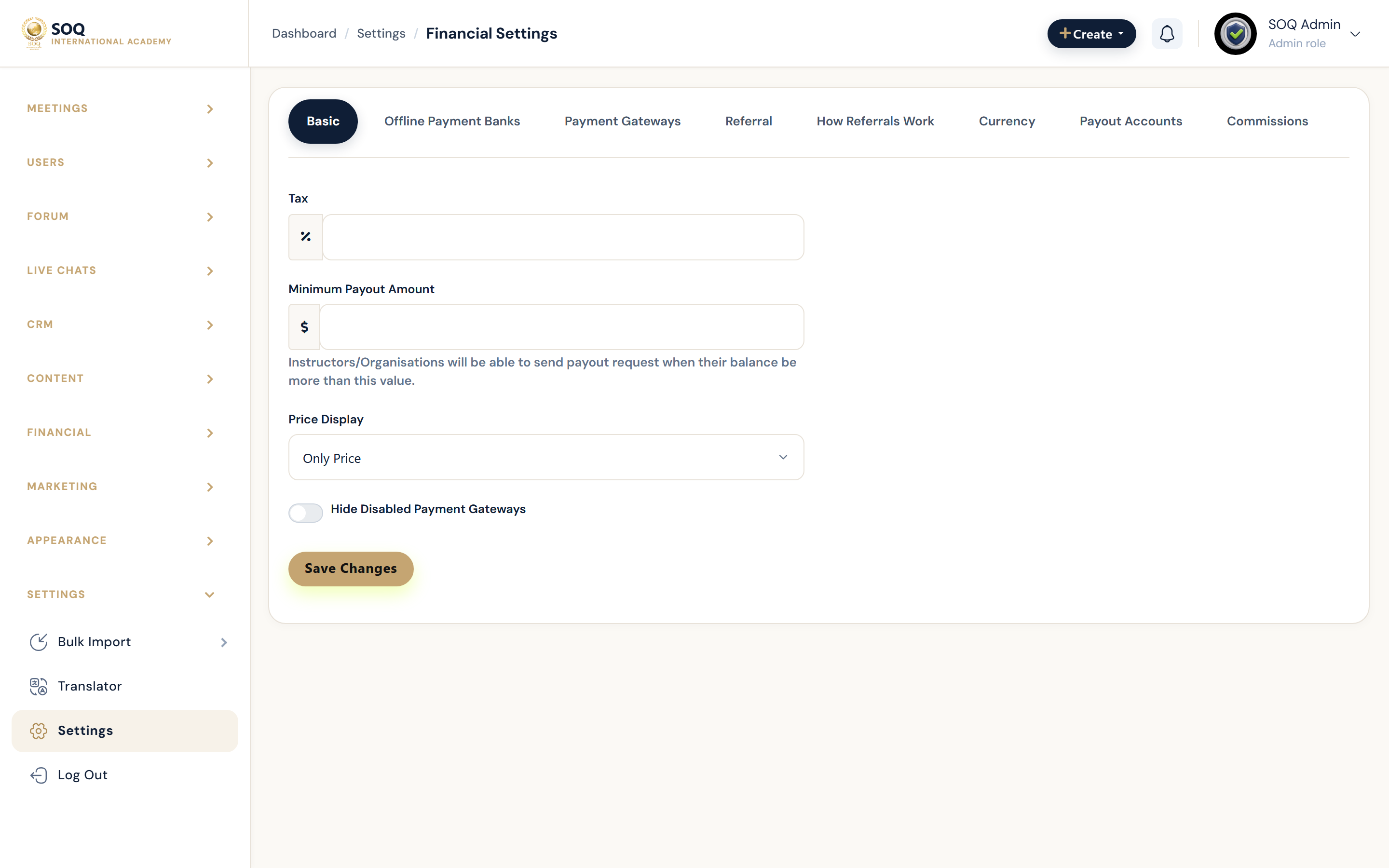
Live screenshot from the SOQ beauty demo (aiacademy.aiee.dev). Controls in the image are not clickable.
Surfaces, roles and current terminology
| Surface | Current navigation terminology | Status |
|---|---|---|
| Financial page | Settings hub ? Financial | Core |
| Basic tab | tax, minimum_payout, price_display, hide_disabled_payment_gateways | Core |
| Payment channels tab | Embedded payment gateway list | Core; see Payment Gateways |
| Currency / commissions | Currency and commission tabs | Core |
| Offline / user banks | Offline banks and user banks tabs | Core |
| Referral | Referral settings tab | Core |
Permissions, settings and activation
- Requires admin_settings_financial permission; payment channel actions may need admin_payment_channel* abilities.
- Currency and tax changes affect catalog prices and checkout totals immediately after save.
- Hide disabled gateways only after confirming staff still know how to re-enable them.
Core workflows
Configure basic commercial rules
- Open Settings ? Financial ? Basic.
- Set tax, minimum payout, and price display behavior.
- Decide whether disabled gateways are hidden at checkout.
- Save and verify a sample course price and checkout summary.
Set currency and commissions
- Open Currency and Commissions tabs.
- Align platform currency with gateway credentials and instructor commission rules.
- Save and run a test purchase in a non-production account when possible.
Prepare offline payout rails
- Configure offline banks / user banks tabs used by payout and offline payment flows.
- Confirm instructors see expected payout instructions in Panel financial views.
- Document internal approval steps for offline settlements.
Result states
- Success: Checkout totals, currency display, and payout thresholds match the saved Financial settings.
- Pending: Settings saved but gateway credentials or offline bank verification still incomplete.
- Denied: Missing financial or payment-channel permissions.
- Error: Invalid numeric fields or conflicting currency/gateway setup; correct tabs before taking live payments.