
Offline Payment
Offline payments let learners submit bank transfer or cash evidence for manual approval. In the current snapshot, Admin offline payment screens may show Feature not activated until the module is enabled.
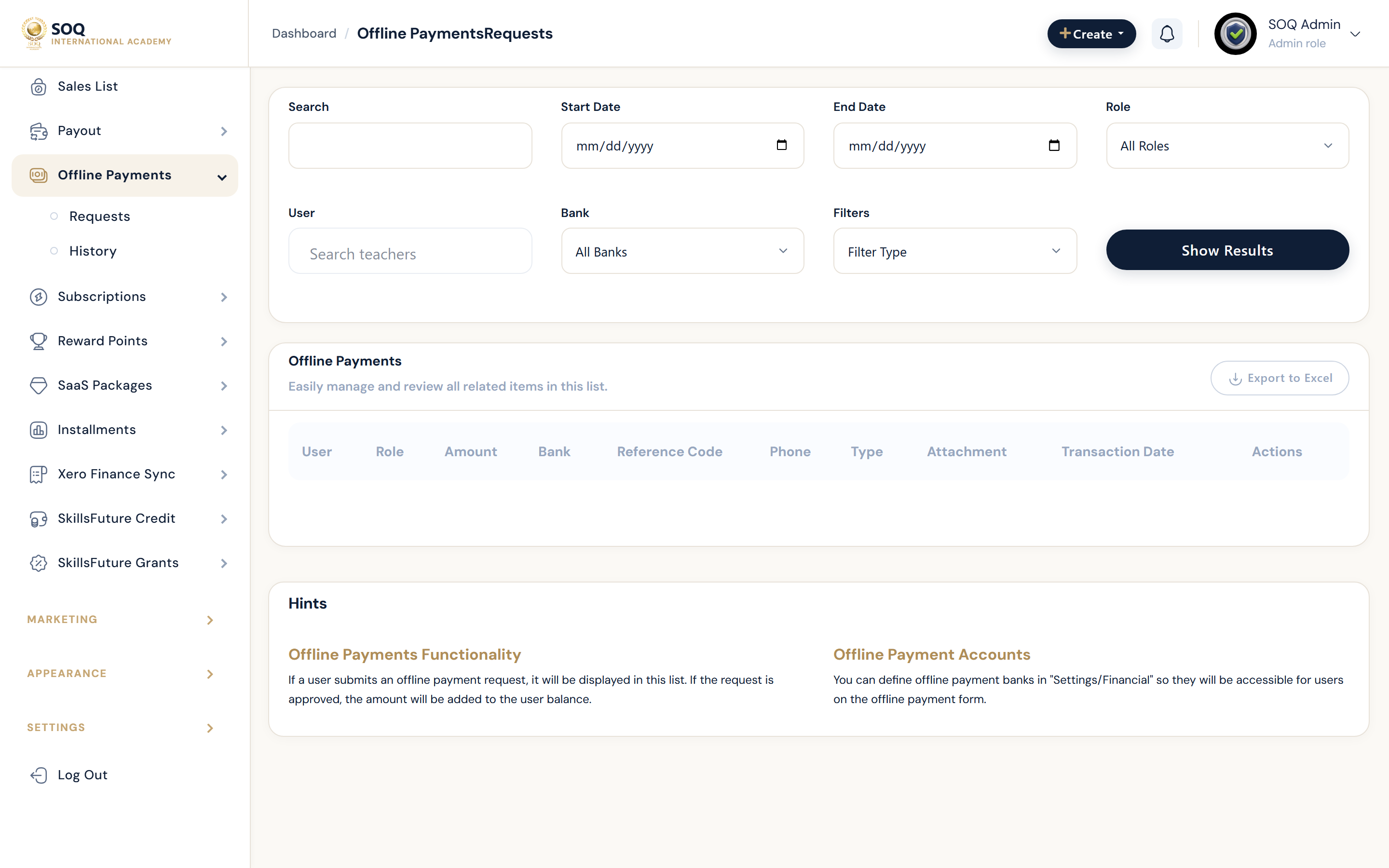
Live screenshot from the SOQ beauty demo (aiacademy.aiee.dev). Controls in the image are not clickable.
Surfaces, roles and current terminology
| Surface | Current navigation terminology | Status |
|---|---|---|
| Learner submission | Checkout ? offline payment request | Feature-gated |
| Admin requests | Financial ? Offline Payments ? Requests | Feature not activated stub when inactive |
| Admin history | Financial ? Offline Payments ? History | Feature not activated stub when inactive |
| Access outcome | Enrollment or wallet credit after approval | Depends on successful approval |
Permissions, settings and activation
- If Admin offline payment pages show Feature not activated, activate via Activations / https://soq.edu.sg before operational use.
- Match paid amount, payer name, and reference before approving.
- Approval should grant the purchased entitlement once; avoid duplicate approvals.
- Rejection should tell the learner what evidence to resubmit.
Core workflows
Prepare the module
- Open Financial ? Offline Payments at the configured Admin URL.
- If the page is a Feature not activated stub, stop and activate the module first.
- Confirm bank instructions shown to learners are accurate.
- Run a test submission only after the working UI is available.
Approve a real payment
- Open the pending offline request and compare amount, reference, and receipt.
- Approve only when evidence matches the order.
- Confirm the learner gains course or product access.
- File the request under history and keep the external bank proof.
Result states
- Success: Evidence matches, approval posts once, and the learner can access the purchase.
- Pending: The request awaits staff review or clearer payment evidence.
- Denied: The module is inactive, evidence mismatches, or the staff role cannot approve.
- Error: Stub UI, duplicate credit risk, or save failure; do not approve until the module and evidence are sound.
Operational notes
- Current Admin offline payment views may be Feature not activated stubs — document that status honestly to operators.