
Object Storage (Contabo / S3-compatible)
SOQ TMS uses Contabo Object Storage (S3-compatible) for course and media uploads on the AI Academy deploy and for every new client install, alongside the Contabo VPS. Prefer Admin → Settings → General → Features → Object Storage; MINIO_* in .env is the fallback. AWS S3 and Bunny Stream are not used — leave Bunny fields empty in Admin Features.
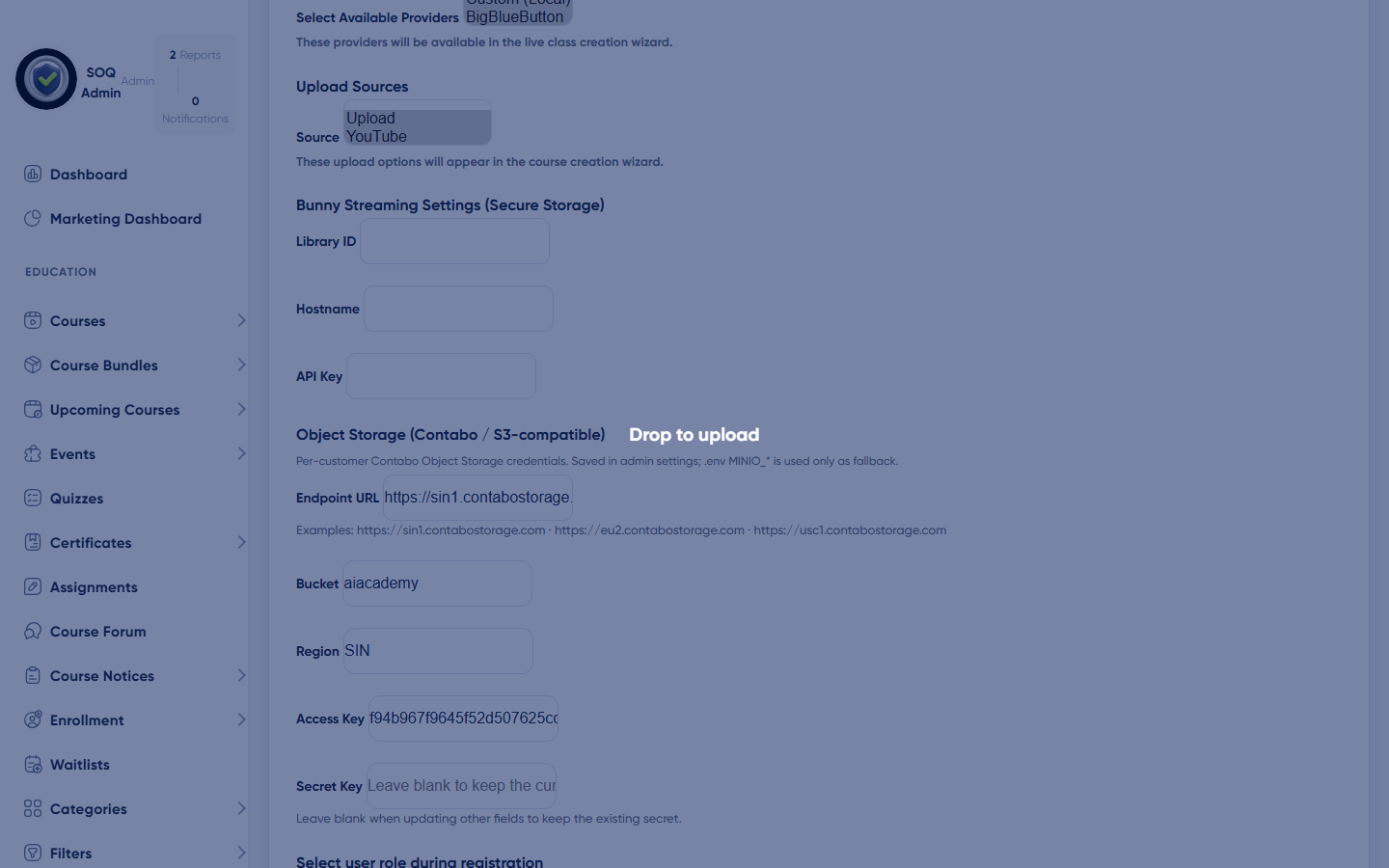
Live screenshot from the SOQ beauty demo (aiacademy.aiee.dev). Controls in the image are not clickable.
Standard client stack = Contabo VPS + Contabo Object Storage. Credentials resolve via
SoqObjectStorageConfig: Admin Features first, then MINIO_*. In TMS upload UIs, pick the S3 source (maps to the minio disk).Surfaces, roles and current terminology
| Surface | Current navigation terminology | Status |
|---|---|---|
| Contabo Object Storage | Admin → Features → Object Storage (key, secret, region, bucket, endpoint) | Standard (all clients) |
| Env fallback | MINIO_KEY / MINIO_SECRET / MINIO_REGION / MINIO_BUCKET / MINIO_ENDPOINT | Fallback |
| Endpoints | https://eu2.contabostorage.com, https://sin1.contabostorage.com, https://usc1.contabostorage.com | Pick region near the client |
| Upload usage | Admin/Panel file flows with storage == s3 (minio disk) | Standard when Contabo Object Storage is wired |
| Local fallback | Default local upload disk / File Manager on Contabo VPS | OK early; move media to Object Storage for production |
| AWS S3 / Bunny | Do not use for SOQ client installs | Dropped |
Permissions, settings and activation
- Admin roles with Features access can set Object Storage in the UI; env secrets remain an ops fallback.
- Bucket CORS and access keys must allow the application to put/get objects.
- Changing disks does not automatically migrate historical local files.
Core workflows
Configure Contabo Object Storage for new uploads
- Create a Contabo Object Storage bucket and access key in Contabo panel.
- Enter key/secret/region/bucket/endpoint under Admin → Features → Object Storage (or set
MINIO_*as fallback) and clear config cache / restart PHP-FPM if using env. - Upload a test course file choosing S3 where the UI exposes storage selection.
- Confirm the object appears in the Contabo bucket and the learner URL resolves.
Validate production readiness
- Verify IAM is least-privilege (bucket-scoped).
- Test delete/replace behavior from Admin file tools.
- Monitor failed jobs or upload errors after go-live.
Fall back to local storage
- If S3 credentials fail, switch affected uploads to the local disk path temporarily.
- Keep File Manager operational for Admin imagery.
- Fix credentials before migrating large media libraries.
Result states
- Success: New uploads with S3 selected land in the bucket and play/download correctly for entitled users.
- Pending: Credentials issued but not yet deployed to the app environment.
- Denied: Operator lacks server access; Status remains env-only with no Admin S3 page.
- Error: AccessDenied, wrong region, or broken public URL; correct IAM/endpoint and clear config cache.
Operational notes
- Status: documentation may historically show an Admin Configuration ? Amazon S3 form; current readable Source uses environment configuration instead.