
Get Support
Operators escalate product and hosting issues through soq.edu.sg. In-app learner/staff tickets are a separate Admin CRM surface (Support tickets). There is no activation Valid/Invalid portal on this build.
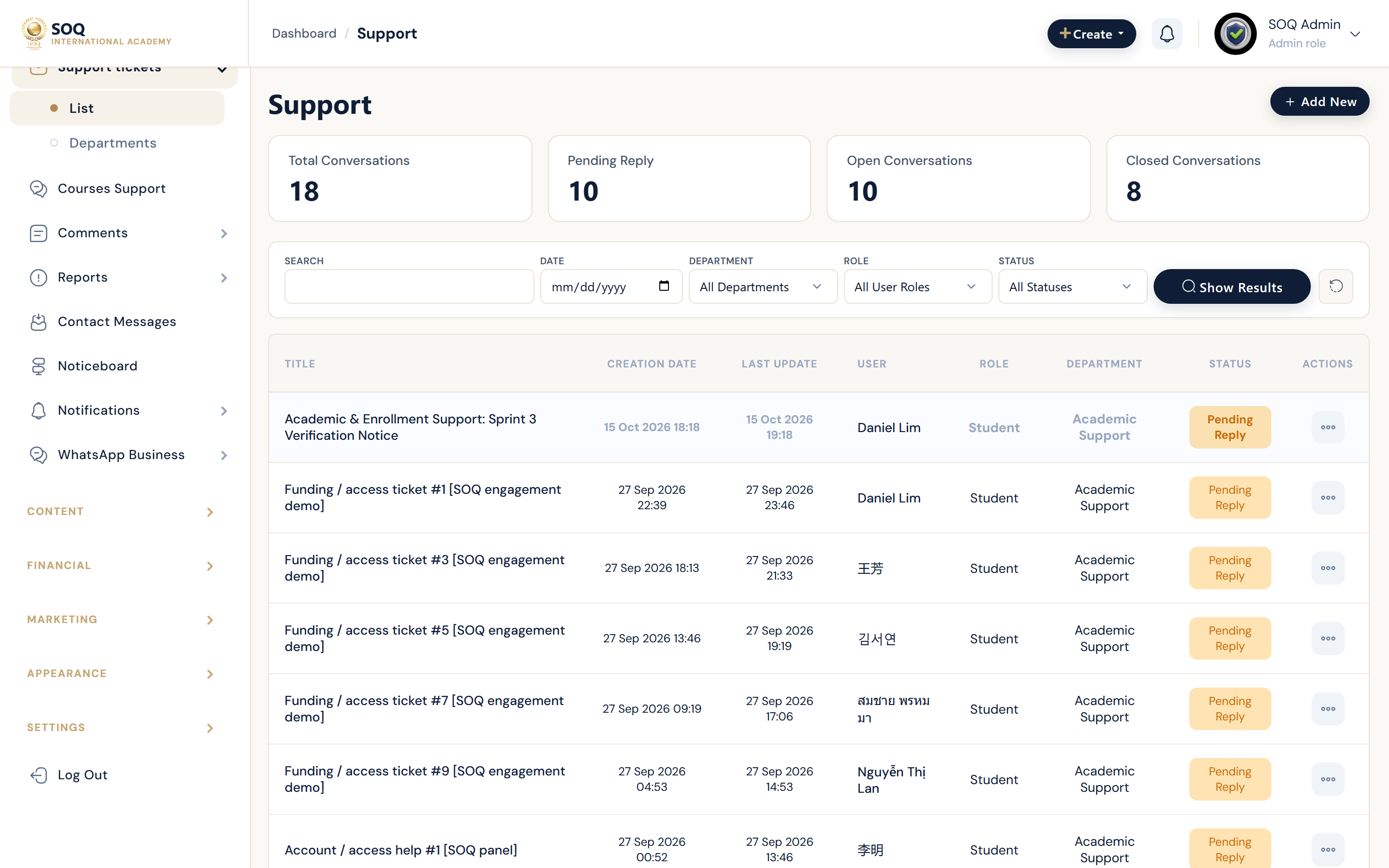
Live screenshot from the SOQ beauty demo (aiacademy.aiee.dev).
Surfaces, roles and current terminology
| Surface | Current navigation terminology | Status |
|---|---|---|
| External product support | https://soq.edu.sg (header Support link) | Primary vendor channel |
| Features / Settings | Admin → Features / Settings | Core (no activation UI) |
| In-app tickets | CRM → Support tickets | Core Admin UI |
| Departments | CRM → Support tickets → Departments | Core |
| Course conversations | CRM → Support tickets (course conversations type) | Core |
Permissions, settings and activation
- Include domain, platform version, and reproduction steps when contacting soq.edu.sg.
- In-app Support tickets require CRM permissions; they do not replace vendor support at soq.edu.sg.
- Do not share full .env secrets in tickets; redact credentials.
Core workflows
Open an external SOQ support case
- Capture the affected Admin path (configured Admin URL) and whether the feature is toggled under Features / Settings.
- Note PHP/platform version and whether the issue is a disabled feature versus a runtime error.
- Contact support via soq.edu.sg with steps to reproduce.
- Apply the advised configuration fix and retest.
Handle an in-app support ticket
- Open CRM → Support tickets at the configured Admin URL.
- Filter by department or course conversation as needed.
- Reply, reassign, or close according to your CRM workflow.
- Confirm the requester can see the response in Panel ? Support when applicable.
Prepare diagnostics for escalations
- Reproduce with a non-production account when possible.
- Collect timestamps, order IDs, and whether Maintenance or Debugger/env debug is on.
- Attach only sanitized logs and screenshots.
Result states
- Success: External case or in-app ticket reaches the right owner and the operator can continue with a clear next action.
- Pending: Awaiting soq.edu.sg reply or learner response on an open ticket.
- Denied: Staff lack CRM support permissions, or the external entitlement does not include support.
- Error: Ticket save/mail failure or missing contact channel; fix SMTP/mail and permissions before retrying.