
Support and Profile
Every Panel role can update profile details and open support tickets. Instructors also answer class support threads when support is enabled on the course.
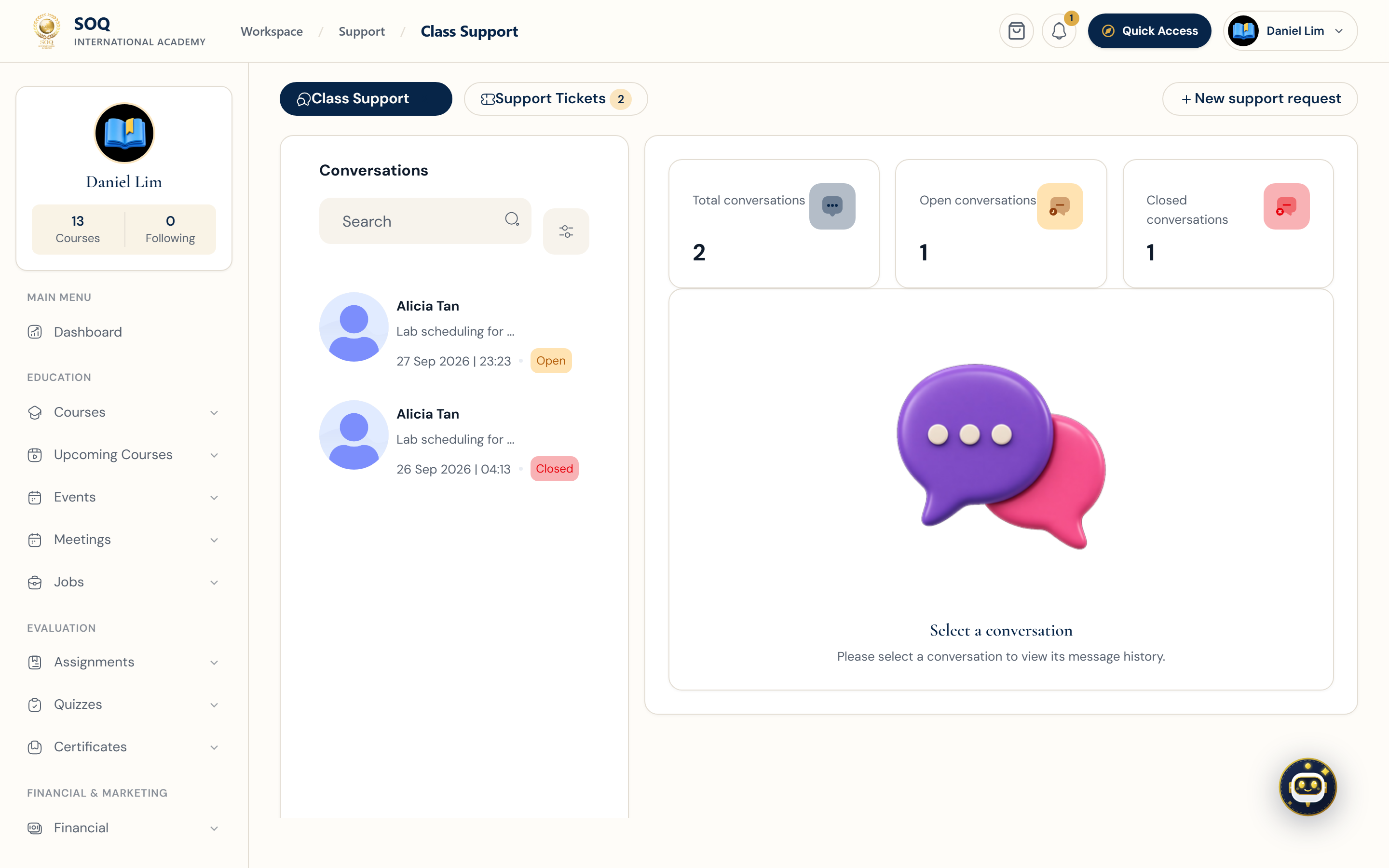
Live screenshot from the SOQ beauty demo (aiacademy.aiee.dev). Controls in the image are not clickable.
Surfaces, roles and current terminology
| Surface | Current navigation terminology | Status |
|---|---|---|
| Profile | Panel ? Settings / profile editing and public profile URL | Core |
| Platform tickets | Panel ? Support ? tickets / new request | Core |
| Class support | Panel ? Support ? class conversations | Requires Support enabled on the class |
| Admin oversight | CRM / Supports ? course conversations at the configured Admin URL | Core staff surface |
Permissions, settings and activation
- Users must be signed in to open Panel support.
- Class support appears only when the course has Support enabled.
- Staff may intervene from Admin support tools without using the learner ticket form.
- Profile completeness affects public instructor and organization listings.
Core workflows
Update profile details
- Open Panel ? Settings or the profile editor.
- Complete name, bio, avatar, and contact fields required by the site.
- Save and open the public profile URL to confirm what visitors see.
- Correct any missing fields before promoting the profile publicly.
Open or answer support
- For platform issues, open Panel ? Support and create a ticket with clear steps to reproduce.
- For class questions, open the class support thread from the course or Panel support list.
- Instructors reply with actionable guidance and avoid sharing Admin credentials.
- Close or escalate resolved threads so pending queues stay accurate.
Result states
- Success: Profile changes publish correctly and support messages reach the intended inbox or thread.
- Pending: A ticket awaits staff or instructor reply, or profile changes await moderation where configured.
- Denied: Class support is disabled on the course, or the account cannot access that conversation.
- Error: Upload, validation, or mail delivery failures prevent saving the profile or sending the ticket; fix the field or SMTP setup and retry.