
SEO Settings
Administrators manage default and per-page SEO metas from Settings ? SEO, including extra meta tags and bottom SEO content blocks stored through seo_metas settings.
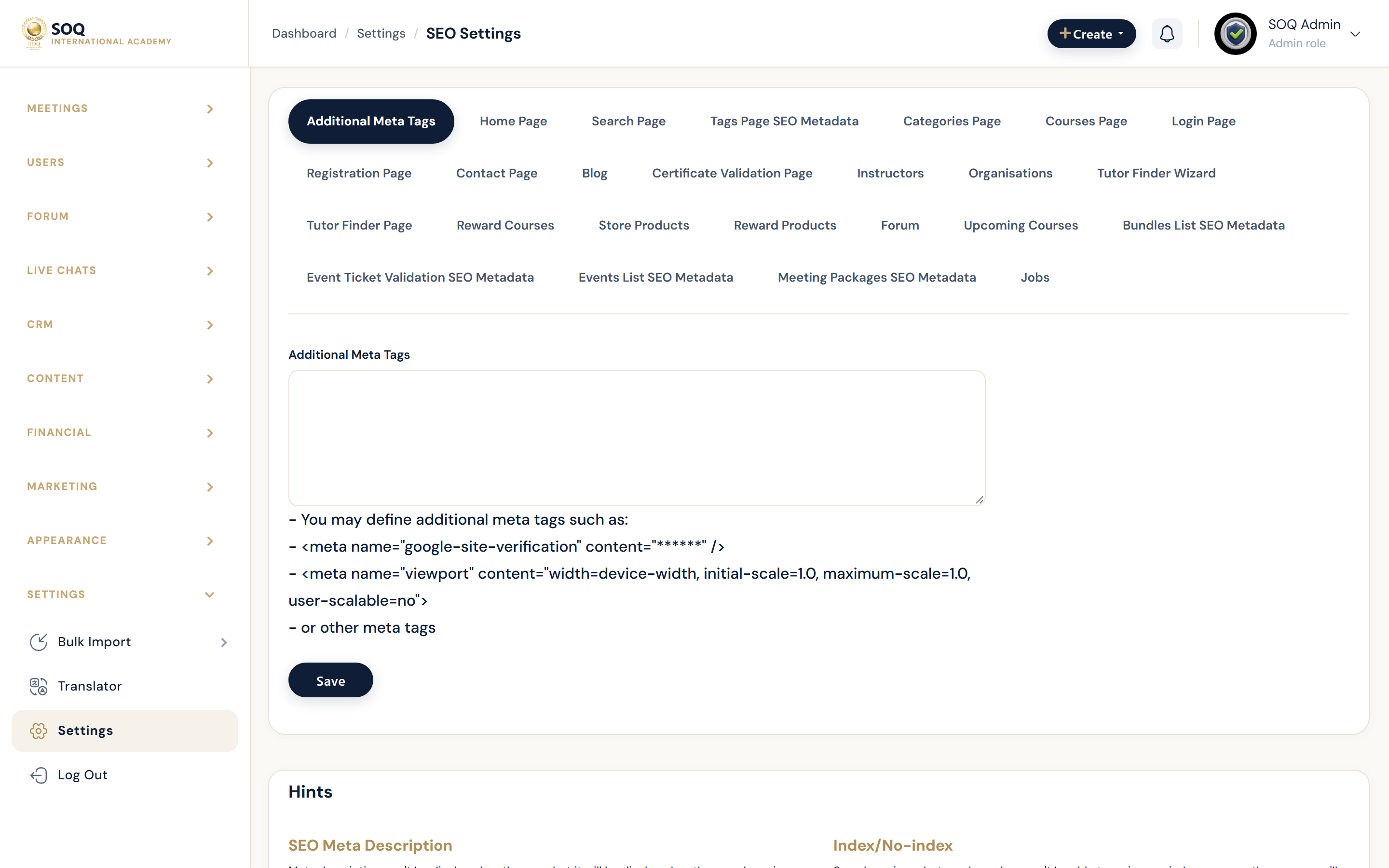
Live screenshot from the SOQ beauty demo (aiacademy.aiee.dev). Controls in the image are not clickable.
Surfaces, roles and current terminology
| Surface | Current navigation terminology | Status |
|---|---|---|
| SEO page | Settings hub ? SEO | Core |
| Per-page metas | Setting pagesSeoMetas titles/descriptions | Core |
| Extra meta tags | extra_meta_tags | Core |
| Bottom SEO blocks | bottom_seo_title / bottom_seo_content per page | Core |
Permissions, settings and activation
- Requires admin_settings_seo permission.
- Course-level SEO may still exist on individual content forms; site defaults do not replace every item.
- Robots/indexing also depends on hosting headers and robots.txt outside this form.
Core workflows
Set site-wide defaults
- Open Settings ? SEO at the configured Admin URL.
- Enter default title/description patterns for the listed pages.
- Add only necessary extra_meta_tags.
- Save and View Source on the public homepage to confirm tags.
Tune a high-traffic page type
- Select the page entry (for example courses list or blog) in the SEO form.
- Update title, description, and optional bottom SEO content.
- Save and verify the public page head tags and on-page bottom block.
Avoid duplicate or spammy SEO
- Remove outdated keyword stuffing from descriptions.
- Ensure each major landing has a distinct description.
- Coordinate with Marketing before mass meta changes.
Result states
- Success: Public pages emit the expected title/description metas and optional bottom SEO content.
- Pending: Saved in Admin but search engines have not recrawled yet.
- Denied: Missing SEO settings permission.
- Error: Invalid fields or cache serving old head tags; resave and purge caches/CDN.