
Course Bundles Feature
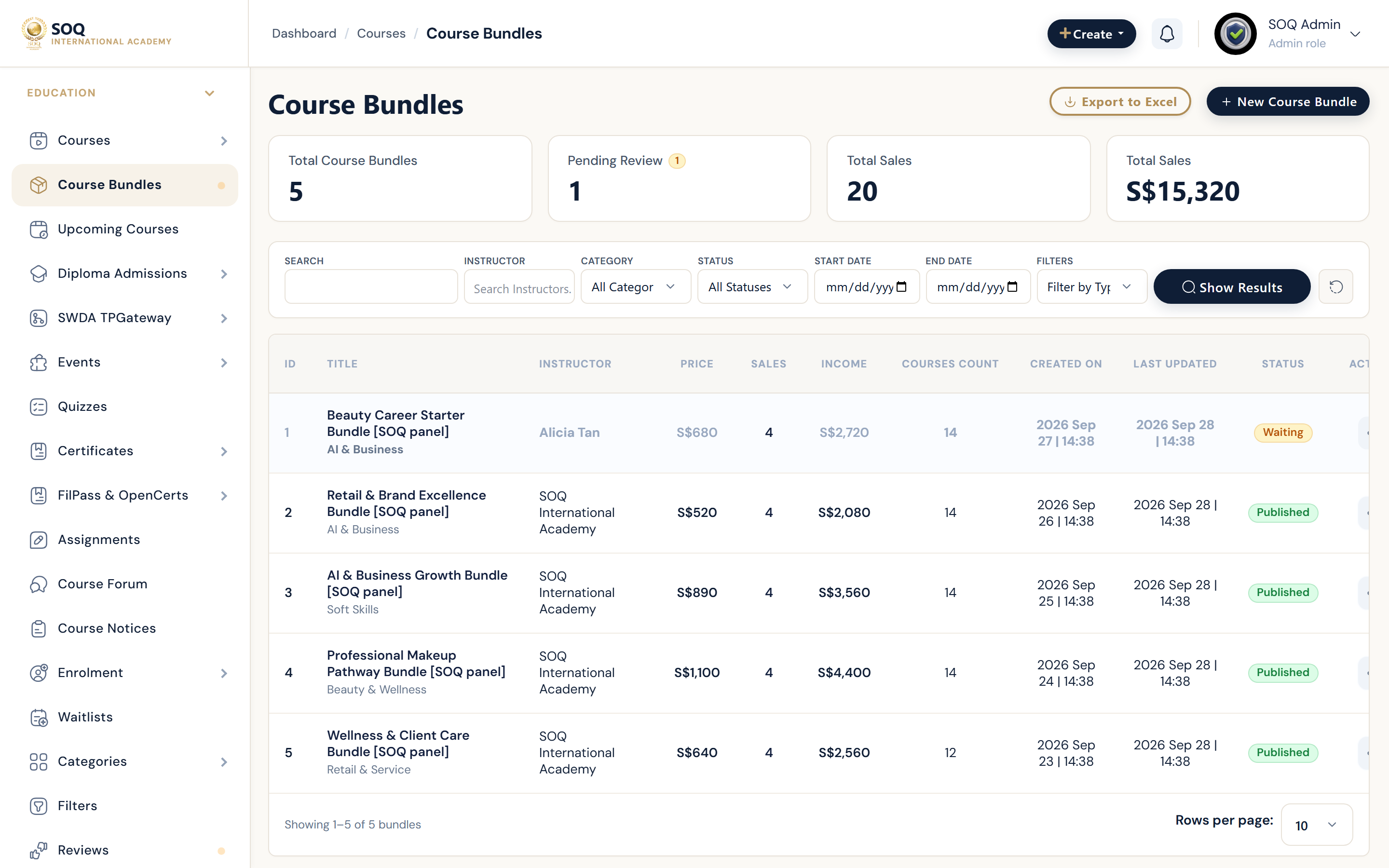
Illustrative screenshot “ Admin -> Education -> Course Bundles ” annotated walkthrough. Screenshot controls in this image are not clickable and may not match the current live UI.
Course Bundles
What this screen is
Package several courses into one sellable product with shared pricing, landing page, and enrollment rules.
What you see
Bundle list (create / list), per-bundle course picker, price, publish status, and public URL preview.
Screenshot annotations
- 1New bundle: See marker 1 on the screenshot.
- 2Search: See marker 2 on the screenshot.
- 3Filters: See marker 3 on the screenshot.
- 4Bundle table: See marker 4 on the screenshot.
- 5Status: See marker 5 on the screenshot.
- 6Edit actions: See marker 6 on the screenshot.
Field / control guide
- Title / slug: Public name and URL segment for the bundle page.
- Courses: Courses included; order often controls display sequence.
- Price: Checkout amount (often discounted vs buying each course).
- Thumbnail / cover: Card and hero imagery on public pages.
- Status: Draft vs published visibility.
- Access rules: Who can purchase (all users, groups, org seats).
How to complete the task
- Step 1: Open Education -> Course Bundles -> New.
- Step 2: Set title, slug, thumbnail, and description.
- Step 3: Attach courses and set bundle price.
- Step 4: Publish and open the public bundle URL to verify cart/checkout.
- Step 5: Confirm enrolled students receive access to every included course.
Notes / pitfalls: If Admin shows Feature not activated, enable the module under Activations at https://soq.edu.sg. Publish each course before selling the bundle.