
Noticeboard Feature
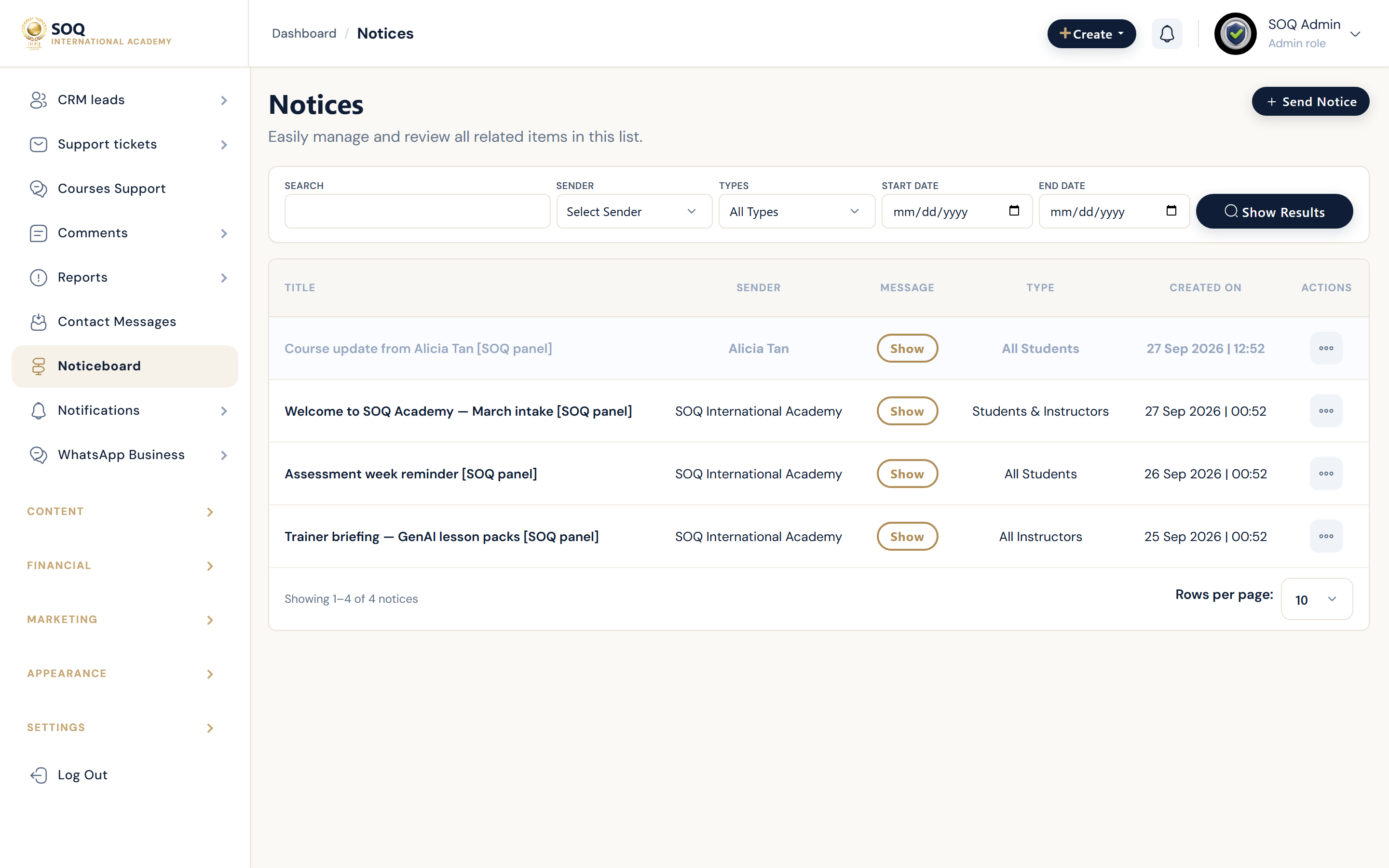
Illustrative screenshot “ Admin -> CRM -> Noticeboard ” annotated walkthrough. Screenshot controls in this image are not clickable and may not match the current live UI.
Noticeboard
What this screen is
Broadcast notices to user segments from Admin noticeboard tools.
What you see
Notice list and send form.
Screenshot annotations
- 1Send notice: See marker 1 on the screenshot.
- 2Search: See marker 2 on the screenshot.
- 3Audience filter: See marker 3 on the screenshot.
- 4Notices list: See marker 4 on the screenshot.
- 5Sent status: See marker 5 on the screenshot.
- 6Open: See marker 6 on the screenshot.
Field / control guide
- Audience: Who receives the notice.
- Title / body: Message content.
- Schedule: Send now or later if supported.
How to complete the task
- Step 1: Compose the notice.
- Step 2: Select audience carefully.
- Step 3: Send and verify a recipient panel/web view.
Notes / pitfalls: Wrong audience can spam all users — preview segment first.