
User Roles
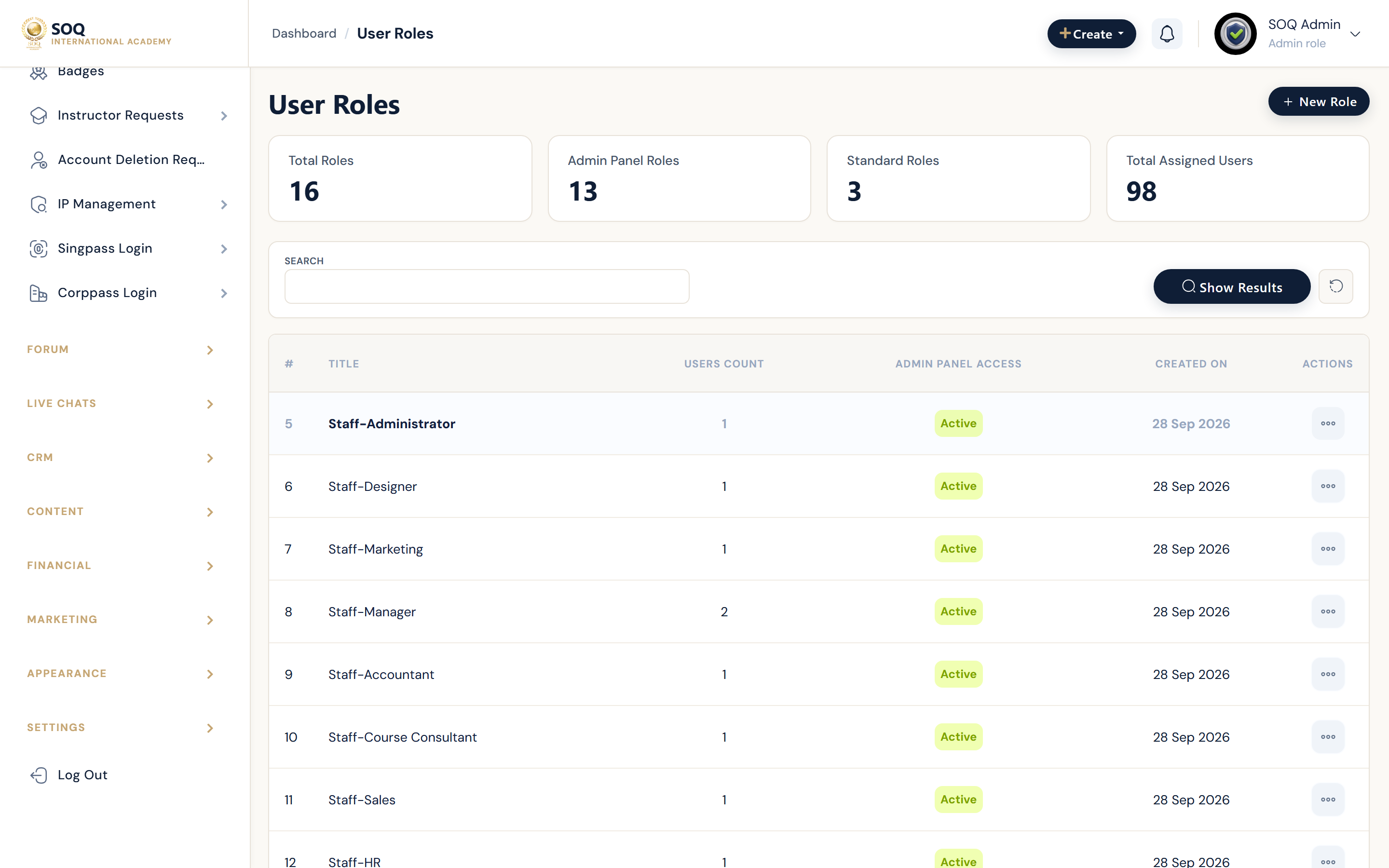
Live screenshot from the SOQ beauty demo (aiacademy.aiee.dev). Controls in the image are not clickable.
Illustrative screenshot — Admin -> Users -> Roles. Screenshot controls in this image are not clickable and may not match the current live UI.
User roles
What this screen is
Manage default and custom roles that control admin-panel access and permissions on SOQ International Academy.
What you see
Roles list with captions, admin-access toggle, and permission matrix for custom staff roles.
Field / control guide
- Admin (
admin): Full platform access. Only Super Admin can manage roles. - Instructor: Can create courses and meetings; uses instructor panel.
- Organization: Like instructor, plus linked instructors/students.
- Student: Purchases and learns; cannot create courses.
- Custom roles: Admin -> Users -> Roles -> New - set caption and permission checkboxes.
- Admin panel access: Toggle whether the role can open /admin, then assign section permissions.
How to complete the task
- Open Admin -> Users -> Roles.
- Keep the four default roles intact.
- Create custom staff roles only when you need split departments.
- Assign the role on user edit and test with a non-critical account.
Notes / pitfalls: For student/instructor packaging preferences, prefer User Groups. Avoid granting role management to non-super admin staff.