
Notification Templates
Staff customize system email and notification copy from CRM ? Notifications templates, and can send or schedule messages according to site cron and provider settings.
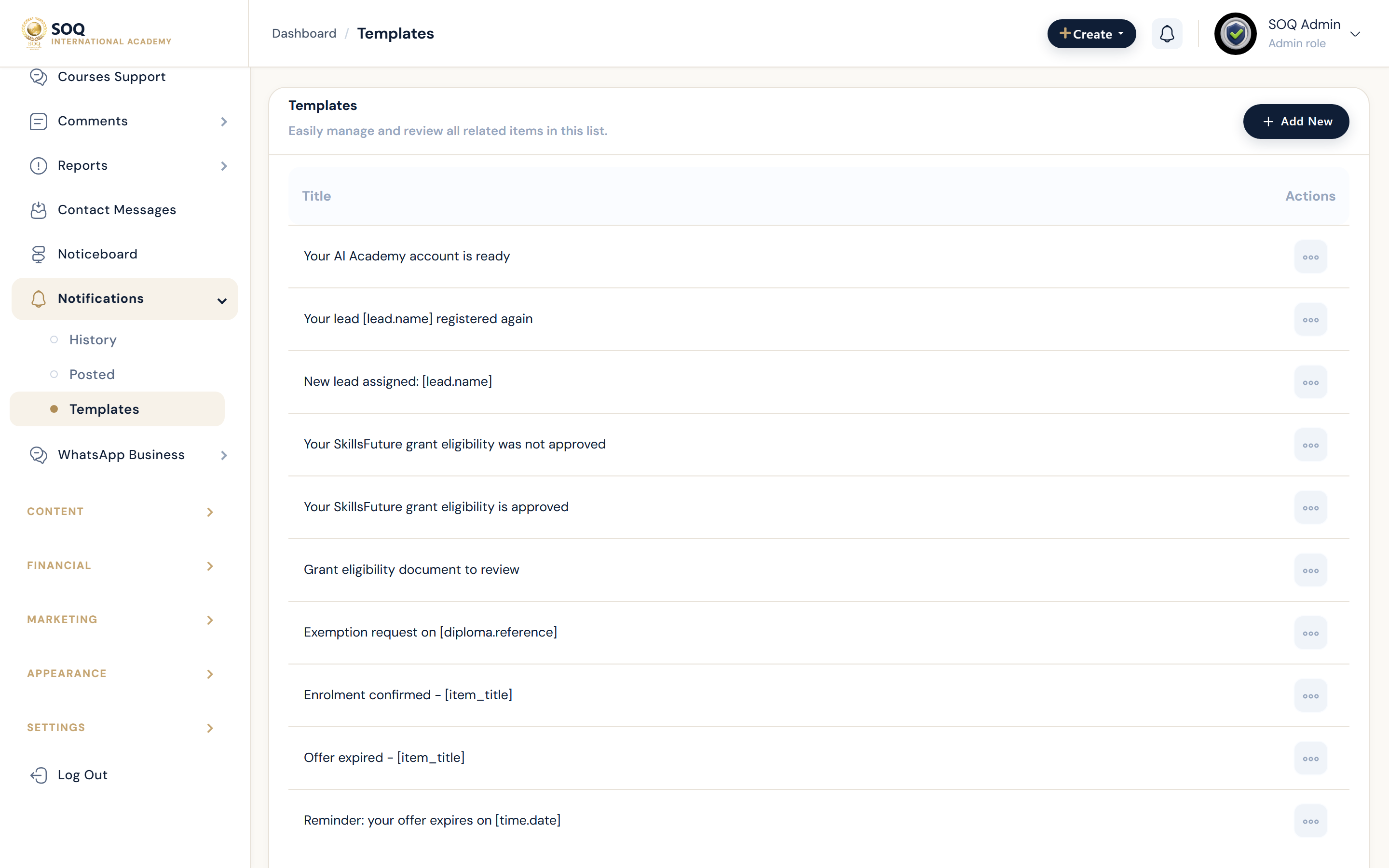
Live screenshot from the SOQ beauty demo (aiacademy.aiee.dev). Controls in the image are not clickable.
Surfaces, roles and current terminology
| Surface | Current navigation terminology | Status |
|---|---|---|
| Templates list | CRM ? Notifications ? Templates | Core |
| Template editor | Edit subject/body and variables for an event | Core |
| Send / manual notify | Notifications ? Send where available | Core |
| Delivery dependencies | SMTP, SMS provider, and cronjobs | Required for reliable delivery |
Permissions, settings and activation
- SMS templates need a configured SMS provider; email needs SMTP.
- Scheduled reminders depend on working cronjobs.
- Keep template branding as SOQ International Academy.
- Test with a safe recipient before broad sends.
Core workflows
Update and test a template
- Open Notification Templates and select the event template to change.
- Edit copy carefully, preserving required variables.
- Send a test notification to a controlled account.
- Confirm delivery and rendering on email or SMS.
Diagnose missed notifications
- Verify the triggering event actually occurred.
- Check SMTP/SMS configuration and cron health.
- Confirm the template is enabled for that event.
- Fix the failing dependency, then retest a single event before bulk sends.
Result states
- Success: Triggered or manual notifications arrive with the expected template content.
- Pending: Queued or cron-scheduled messages have not run yet.
- Denied: Staff lack notification permissions, or the channel is disabled.
- Error: Provider, cron, or variable errors block sending; fix configuration before retrying campaigns.