
Login and Register
Visitors create accounts and sign in through the public authentication pages. Email or SMS verification, password reset, and optional social login follow the site security and notification settings.
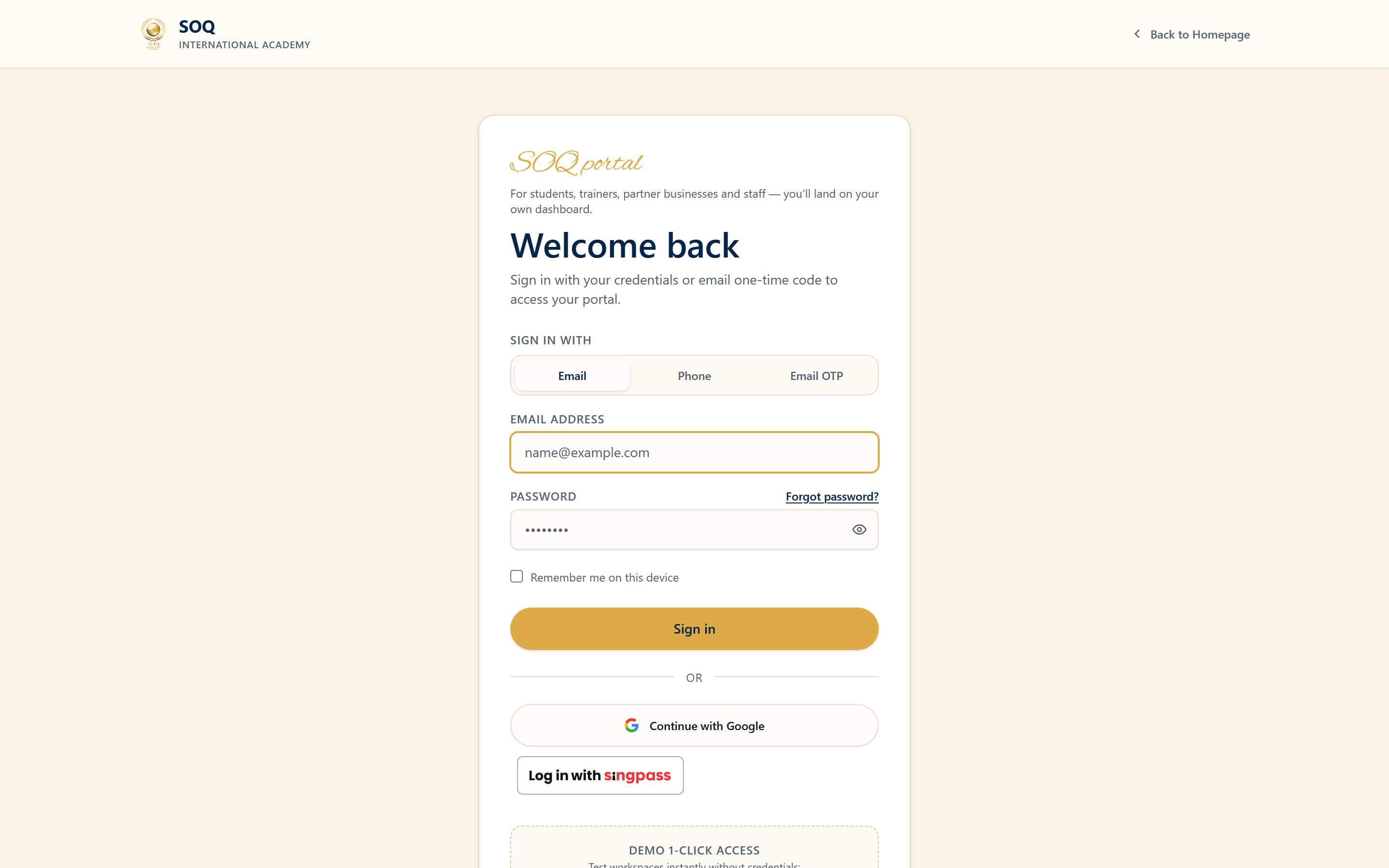
Live screenshot from the SOQ beauty demo (aiacademy.aiee.dev). Controls in the image are not clickable.
Beauty demo: Use
admin@soq.edu.sg / Demo@1234 (and roles on Demo Accounts). Set DEMO_ONE_CLICK_LOGIN=true for login-page one-click buttons and the header Demo dropdown. Disable that env flag on customer production.Surfaces, roles and current terminology
| Surface | Current navigation terminology | Status |
|---|---|---|
| Register | Public ? Register | Core |
| Login | Public ? Login | Core |
| Password reset | Public ? forgot / reset password flow | Requires working mail or SMS delivery |
| Optional social login | Google or other enabled providers | Optional; configure before advertising |
Permissions, settings and activation
- Registration fields and role options follow Security and General settings.
- Email verification needs working SMTP; SMS verification needs a configured provider.
- Demo or staff accounts must never be documented with real production passwords in public materials.
- After login, users land in Panel according to role.
Core workflows
Register and verify
- Open Register and complete the required identity fields.
- Submit and complete email or SMS verification when the site requires it.
- Sign in and confirm the Panel dashboard matches the expected role.
- If verification never arrives, check SMTP/SMS settings and spam folders before creating a second account.
Recover access
- Use the forgot-password flow with the account email or phone expected by the site.
- Complete the reset link or code promptly.
- Sign in with the new password and update stored credentials.
- Escalate locked or hijacked accounts to staff at the configured Admin URL.
Result states
- Success: The account is created or restored, verification completes, and Panel opens for the correct role.
- Pending: Verification message is sent but not yet confirmed.
- Denied: Credentials are invalid, the account is inactive, or registration is closed for that role.
- Error: Mail/SMS delivery, provider callback, or validation errors block auth; fix configuration before retrying.