
Store and Forums
When enabled, the public store and forums let visitors browse products and community topics. On the Beauty demo pack, the store also shows hardware-partner machines plus SOQ training/software products.
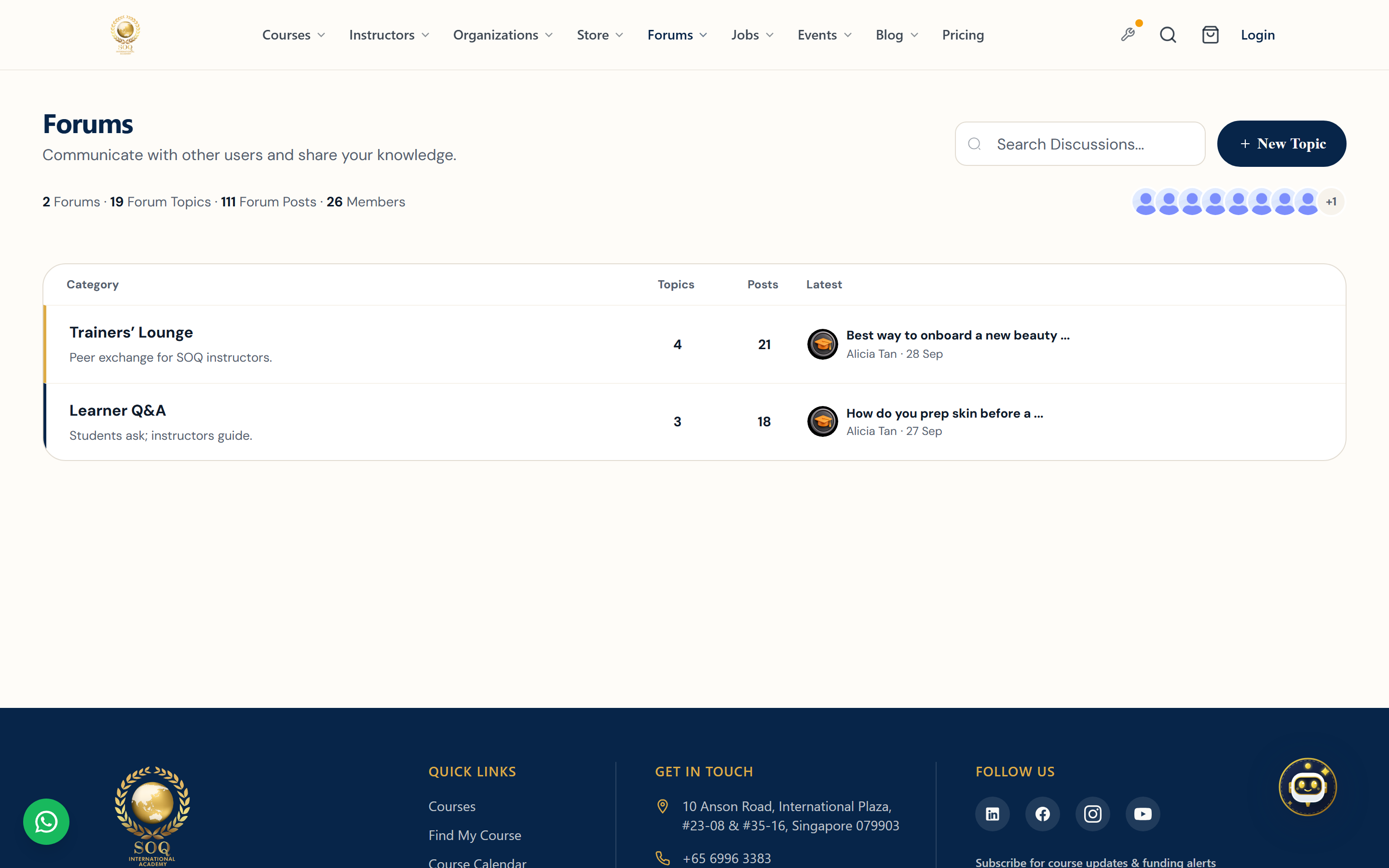
Live screenshot from the SOQ beauty demo (aiacademy.aiee.dev). Controls in the image are not clickable.
Beauty machines: Public
/products lists partner-sold machines and SOQ virtual packs after demo:seed beauty. Pitch: partners deliver & set up hardware; SOQ sells training + clinic software. Details: Store — Beauty Demo Pack.Surfaces, roles and current terminology
| Surface | Current navigation terminology | Status |
|---|---|---|
| Public store | Public products / store catalog | Feature-gated |
| Public forums | Public ? Forums topics and threads | Feature-gated |
| Panel forums | Panel ? Forums participation | Requires forums enabled |
| Admin store | Store management at the configured Admin URL | Feature not activated stub when inactive |
| Admin forums | Forums management at the configured Admin URL | Feature not activated stub when inactive |
Permissions, settings and activation
- Missing store or forums menus usually mean Feature not activated — use Activations / https://soq.edu.sg.
- Do not plan catalog operations against Admin stub pages; they are status screens, not working UIs.
- Purchases still depend on payment and financial settings once the store is active.
- Forum moderation tools appear for staff only after the forums module is active.
Core workflows
Validate module readiness
- Check whether public store and forums routes render real catalogs or inactive messaging.
- Open the matching Admin Store and Forums pages and note any Feature not activated stubs.
- Activate and enable the required modules before creating products or topics.
- Retest public browse, purchase or post, and Panel visibility after activation.
Operate after activation
- Create products or forum topics using the now-active Admin or Panel tools.
- Publish only content that has clear ownership and moderation coverage.
- Run a test purchase or a test thread with a non-admin account.
- Document refund, takedown, and escalation paths before a public launch.
Result states
- Success: Store or forums content is browsable publicly and staff can moderate or fulfill orders.
- Pending: Module activation, product setup, or payment configuration is incomplete.
- Denied: The module remains inactive, or the user lacks permission to post or purchase.
- Error: Stub screens, broken checkout, or forum permission errors block the journey; activate and configure before retrying.
Operational notes
- In the current snapshot, Admin store and forums views may show Feature not activated until enabled.