
Panel Organization Management
Organization owners and authorized organization staff use Panel ? Organization to manage linked instructors and students within package limits.
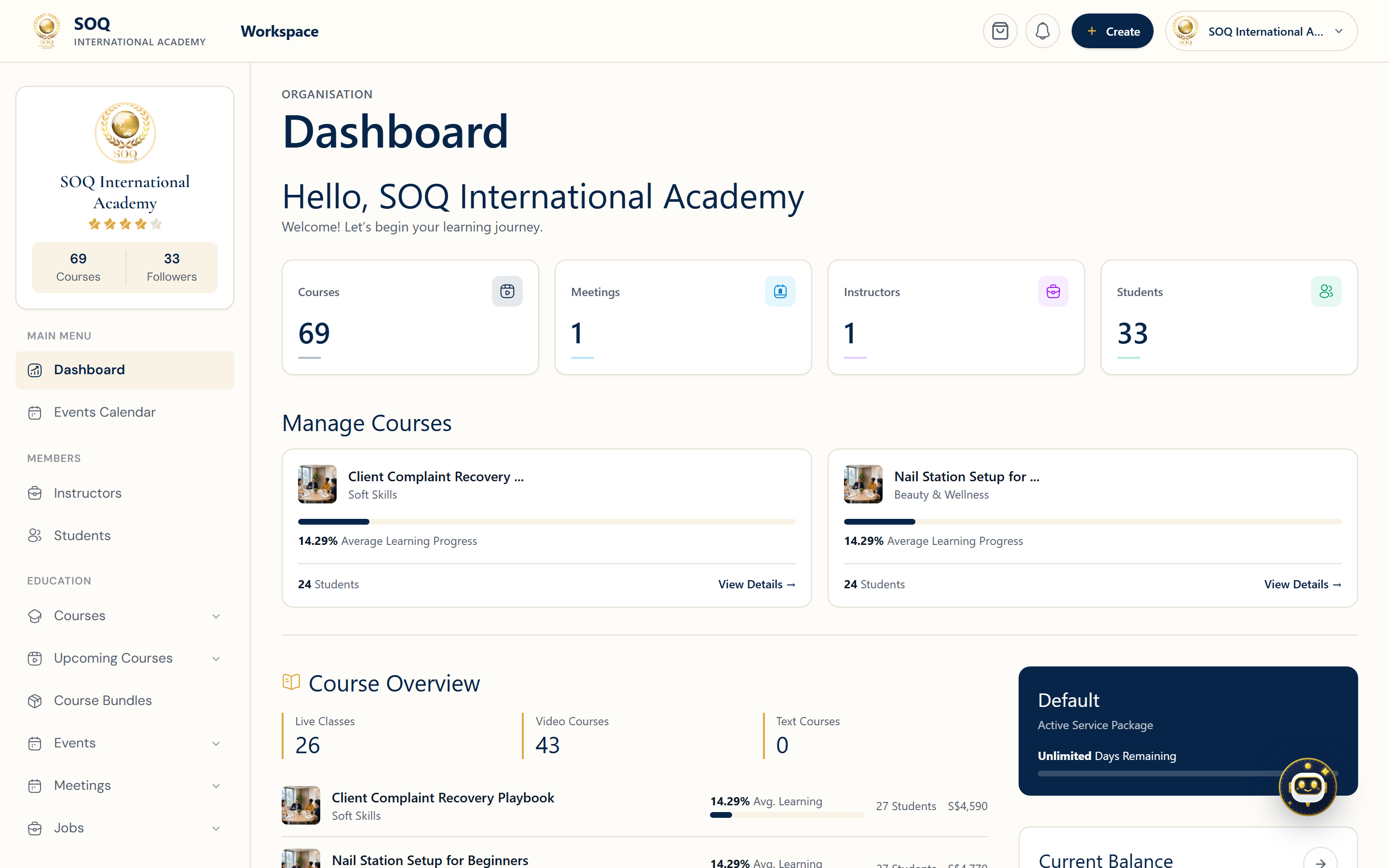
Live screenshot from the SOQ beauty demo (aiacademy.aiee.dev).
Surfaces, roles and current terminology
| Surface | Current navigation terminology | Status |
|---|---|---|
| Organization account | Panel ? Organization / Organization Dashboard | Feature-gated organization capability |
| Instructors | Panel ? Organization ? Instructors | Available to the owning organization |
| Students | Panel ? Organization ? Students | Available to the owning organization |
| Package capacity | Panel ? Organization ? Packages | Depends on assigned or purchased package |
| Ownership | Linked user/course records under the organization account | Enforced by organization scope |
Permissions, settings and activation
- The signed-in account must be an organization owner or have organization-management access.
- Instructor and student creation or assignment must remain within package counts and expiry.
- Organization users can manage only records owned by or assigned to their organization.
- Platform administrators handle cross-organization corrections from the configured Admin URL.
Core workflows
Add an instructor or student
- Open Panel ? Organization and choose Instructors or Students.
- Review the current package capacity before adding a member.
- Create or link the user with the correct role and organization ownership.
- Confirm the member appears in the organization list and can access the intended panel.
Resolve a package limit
- Open Packages and compare used capacity, total capacity, and validity.
- Remove an incorrect pending assignment only after confirming ownership.
- Assign or purchase additional capacity through the available package flow.
- Retry the member operation after the package becomes active.
Transfer operational responsibility
- Identify the current organization owner and affected linked records.
- Have a platform administrator make any cross-organization ownership correction.
- Verify instructors, students, courses, and access remain under the intended organization.
- Test with the organization account after the change.
Result states
- Success: The member is linked to the correct organization and package usage increases as expected.
- Pending: An invitation, package purchase, payment, or administrative ownership correction is incomplete.
- Denied: The account is outside the organization scope or the package has no available capacity.
- Error: Duplicate identity, invalid role, expired package, or inconsistent ownership blocks the operation; do not create a second account as a workaround.