
Subscribe Packages
Subscription packages grant time-bound or quota-based access to eligible courses. Admin subscribe management may currently show Feature not activated until the module is enabled.
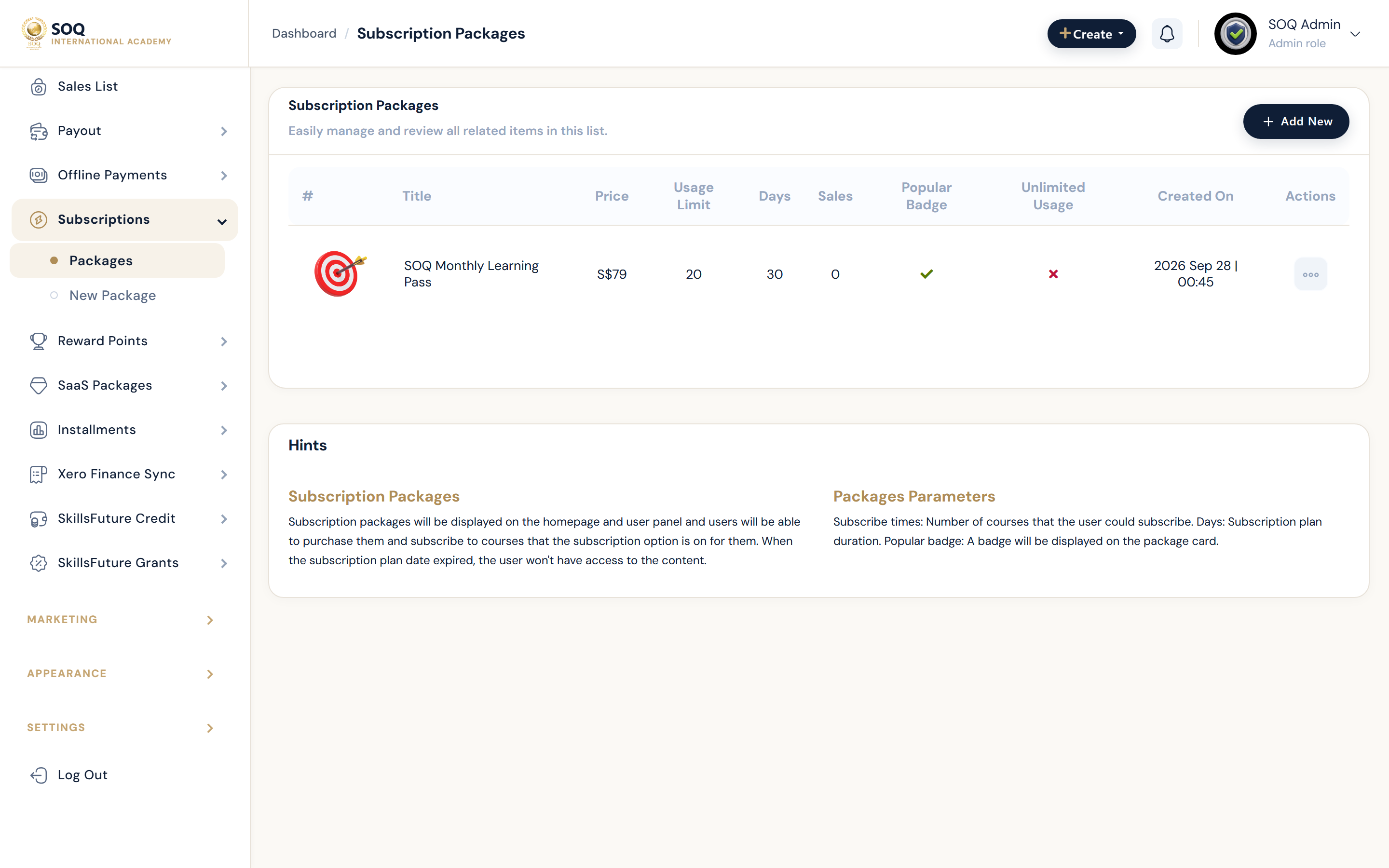
Live screenshot from the SOQ beauty demo (aiacademy.aiee.dev). Controls in the image are not clickable.
Surfaces, roles and current terminology
| Surface | Current navigation terminology | Status |
|---|---|---|
| Package list | Financial ? Subscribes | Feature not activated stub when inactive |
| Create package | Financial ? Subscribes ? create / edit | Feature not activated stub when inactive |
| Course eligibility | Course settings ? allow subscribe / package enrollment | Requires active module and course flags |
| Learner purchase | Public or Panel subscribe purchase flow | Feature-gated |
Permissions, settings and activation
- Do not promise subscribe enrollment while Admin screens remain Feature not activated stubs.
- Activate the module via Activations / https://soq.edu.sg, then configure packages and course eligibility.
- Courses must allow subscribe enrollment before a package can unlock them.
- Monitor expiry and remaining capacity after purchase.
Core workflows
Activate and configure packages
- Open Financial ? Subscribes and confirm whether a working UI or a Feature not activated stub appears.
- Activate the module if stubbed, then create a package with price, duration, and limits.
- Enable subscribe enrollment on target courses.
- Purchase with a test learner and confirm accessible courses and expiry.
Troubleshoot a failed unlock
- Verify the learner's package is active and not expired.
- Confirm the course allows subscribe enrollment and is published.
- Check sales and entitlement records for the purchase.
- Correct course flags or package configuration, then retest access.
Result states
- Success: The package is purchasable and unlocks only the intended eligible courses for the active period.
- Pending: Module activation, package setup, or payment confirmation is incomplete.
- Denied: The module is inactive, the course disallows subscribe, or the package has no remaining capacity.
- Error: Stub Admin UI or inconsistent entitlements block operations; activate and reconcile before relaunch.