
Review Courses
Staff approve instructor-submitted courses before they appear in the public catalog. Use Education ? Classes filtered to pending review at the configured Admin URL.
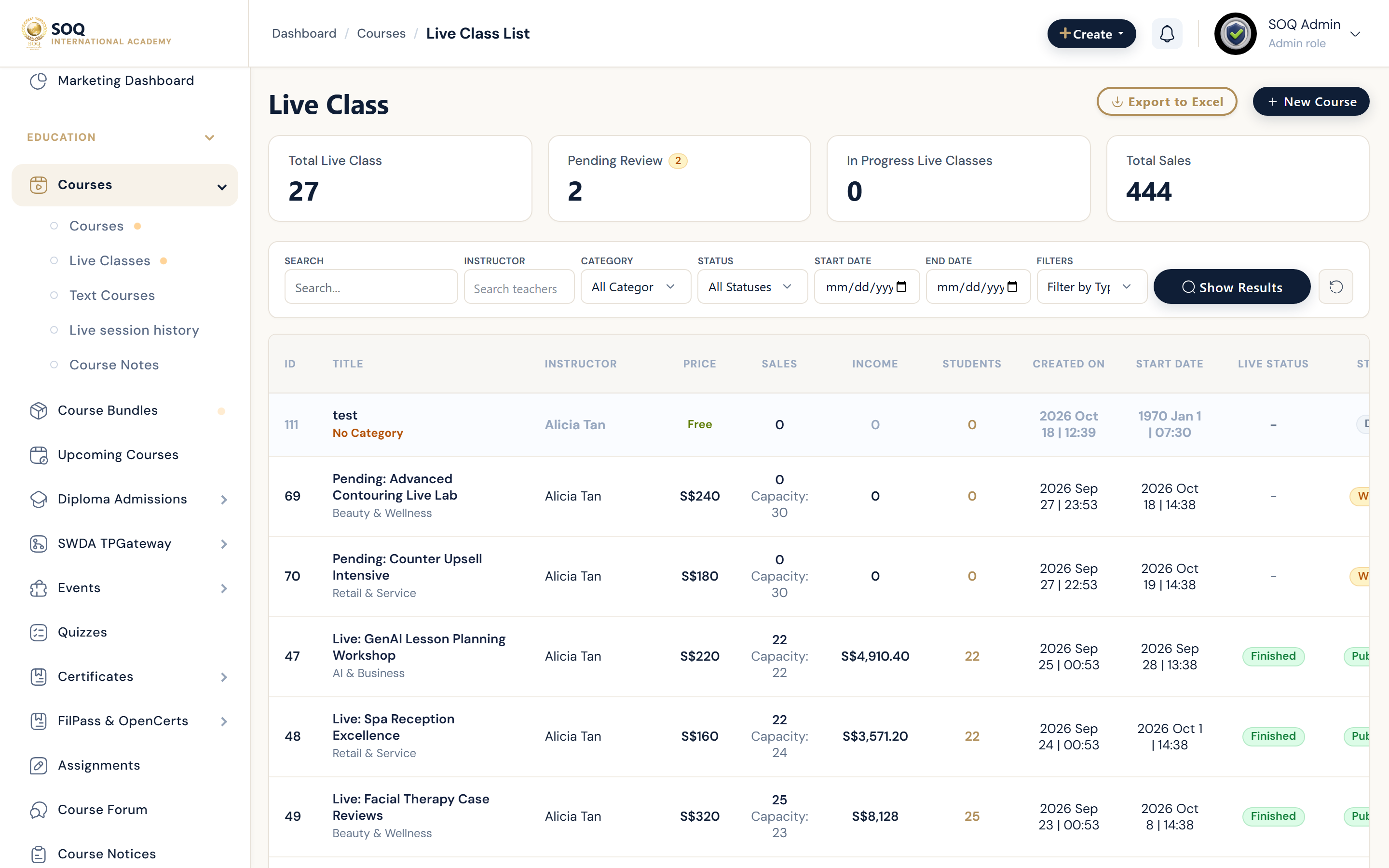
Live screenshot from the SOQ beauty demo (aiacademy.aiee.dev). Controls in the image are not clickable.
Surfaces, roles and current terminology
| Surface | Current navigation terminology | Status |
|---|---|---|
| Pending queue | Education ? Classes / Courses filtered to pending review | Core |
| Course preview | Open pending course content and settings | Core |
| Approve or reject | Pending course moderation actions | Core |
| Auto-publish settings | General / Options settings that may skip pending | Check before assuming a queue item will appear |
Permissions, settings and activation
- Auto-publish settings can send courses live without a pending queue item — verify General/Options behavior.
- Reject with concrete content fixes rather than a vague denial.
- Confirm category, pricing, and curriculum completeness before approval.
- This workflow is catalog publication review, not star-rating moderation.
Core workflows
Approve a pending course
- Open the pending review filter for courses or webinars.
- Preview lessons, pricing, category, and support settings.
- Approve when quality and policy checks pass.
- Verify the course appears publicly for the intended audience.
Request changes
- Reject or return the course with a specific checklist of fixes.
- Ask the instructor to update content in Panel and resubmit.
- Re-review only after the instructor confirms changes.
- Keep rejected courses out of public search.
Result states
- Success: Approved courses publish; rejected courses remain off the public catalog.
- Pending: The instructor still owes content fixes, or auto-publish settings are being verified.
- Denied: Staff lack course moderation permissions.
- Error: Queue filters or auto-publish misconfiguration hide items; adjust settings and reload the list.